Case Study · UX Strategy & Audit

ColleagaPlatform UX Strategy.

A usability audit and strategic roadmap for a global healthcare knowledge-sharing platform — balancing quick wins with long-term accessibility.

Web PlatformUX AuditAccessibilityStrategyNon-ProfitFigma
Task Completion
2
Delivery Phases
WCAG Aligned
Colleaga Platform
Colleaga — global healthcare knowledge-sharing platform
Overview Research Audit Findings Strategy Decisions Outcomes
The Brief

A platform with global reach and significant friction.

Colleaga connects healthcare professionals across borders for knowledge sharing, mentoring, and collaboration. The platform had real traction — but users were struggling to complete core tasks, and the organisation lacked clarity on where to invest their limited UX resources.

The mandate was dual: identify quick wins that could be implemented immediately with low effort, while also establishing a longer-term UX roadmap addressing accessibility, IA, and onboarding.

As a volunteer UX designer on a non-profit budget, every recommendation had to be practical, prioritised, and justified with research — not just opinion.

The Design Challenge

"How might we identify the highest-impact usability improvements that can be implemented quickly, while building a roadmap that ensures long-term accessibility and retention?"

Friction Points at Intake
🧭
Confusing navigation structure
Users couldn't find core features — IA didn't match their mental models
Accessibility gaps
Low colour contrast, missing alt text, and poor keyboard navigation throughout
📝
Onboarding drop-off
New users struggled to understand the platform's value proposition quickly enough
📱
Mobile experience gaps
Key workflows were desktop-optimised — unusable on smaller screens
The Strategic Framing

Quick wins now. Systemic fixes next.

A phased approach — immediate high-impact changes that don't require rebuild, followed by a prioritised roadmap for structural improvements. Non-profit budgets demand precision.

Research Methods

Understanding where users were actually getting lost.

Research focused on task completion, navigation patterns, and accessibility barriers — not just subjective satisfaction. The goal was actionable findings, not general sentiment.

Usability TestingHeuristic EvaluationAccessibility Audit (WCAG)User InterviewsAnalytics Review
  • Finding 01
    Navigation mismatch: designers vs users
    The site's IA reflected how the organisation thought about the platform — not how healthcare professionals searched for content. Core features were buried 3+ levels deep.
  • Finding 02
    Onboarding didn't communicate value fast enough
    New users couldn't answer "what's in it for me?" within the first 60 seconds. Without a clear value proposition upfront, many left before exploring.
  • Finding 03
    Multiple WCAG AA failures
    Colour contrast ratios below 4.5:1, form fields without visible labels, and interactive elements without keyboard focus states — affecting both accessibility and overall usability.
  • Finding 04
    Mobile breakpoints broken on key flows
    The connection request flow and profile editing were effectively non-functional on mobile — a critical gap for a global platform with significant mobile traffic.
Personas

Two user types drove the majority of interactions — each with distinct needs and failure modes.

🩺
Dr. Amara
The Knowledge Seeker
  • International clinician, time-poor
  • Needs to find experts quickly
  • Often on mobile between rounds
  • Drops off if value isn't clear in 60s
👨‍🏫
Prof. Chen
The Expert Contributor
  • Senior clinician sharing expertise
  • Needs profile/contribution tools
  • Uses desktop exclusively
  • Needs trust signals + credibility
Audit Findings

Issues ranked by impact × effort.

Every finding was rated on severity and implementation effort — ensuring the roadmap prioritised real value, not just the easiest fixes.

High Severity
Colour contrast failures (WCAG AA)
Body text and interactive elements below 4.5:1 contrast ratio — affecting readability for users with visual impairments and low-contrast screens.
High Severity
Mobile connection flow broken
The most critical conversion action — connecting with a peer — was non-functional on screens below 768px. Immediate fix required.
High Severity
Onboarding — no value hook in first 60s
First-time users arrived on a generic dashboard with no guidance and no clear articulation of what makes Colleaga different.
Medium Severity
Navigation IA mismatch
Core features labelled with internal jargon rather than user-centric language. "Rooms", "Hubs", and "Boards" required explanation — they should be self-evident.
Medium Severity
Form fields without visible labels
Placeholder-only form fields disappear on focus — leaving users with assistive technology without context about what each field requires.
Lower Priority
Search results lack filtering
Expert search returns an unfiltered list with no way to sort by specialty, location, or availability — high noise, low signal for a time-poor user.
The Roadmap

Quick wins first.
Systemic fixes next.

A phased delivery model — Phase 1 changes require no architectural rework and can be shipped immediately. Phase 2 requires development resource but delivers structural improvement.

Phase 1 — Quick Wins (0–4 weeks)
  • Fix colour contrast on all text and CTA elements to WCAG AA
  • Replace placeholder-only forms with persistent visible labels
  • Add keyboard focus states to all interactive elements
  • Repair mobile connection flow — responsive CSS fix
  • Add value proposition copy to first-visit onboarding screen
  • Rename "Rooms/Hubs/Boards" to user-tested terminology
  • Add alt text to all images via CMS
Phase 2 — Structural (1–3 months)
  • IA redesign — remap navigation to match user mental models
  • Onboarding flow redesign — guided first-session with progressive disclosure
  • Search with specialty, location, and availability filters
  • Mobile-first redesign of profile and contribution flows
  • Credibility signals on expert profiles — endorsements, case counts
  • Accessibility audit re-run and WCAG AA full compliance certification
Why I Made These Calls

Strategic decisions behind
the prioritisation.

Non-profit UX work demands a different kind of rigour — every recommendation competes for scarce engineering time.

Decision 01
Accessibility first, not last
Accessibility fixes were moved to Phase 1 — not because they're easy, but because they have the highest coverage-to-effort ratio. Fixing contrast affects every single user, not just a subset.
Decision 02
Fix the mobile flow before anything else
A broken core action on mobile is worse than a suboptimal desktop experience. The connection flow fix was the only must-ship-this-week item on the entire list.
Decision 03
Rename features before rebuilding them
Renaming "Rooms/Hubs/Boards" to tested terminology costs nothing to ship and immediately reduces navigation confusion. Infrastructure changes wait for Phase 2.
Decision 04
Phase 2 IA redesign, not Phase 1
IA changes require user testing to validate before shipping — moving fast here would risk introducing new confusion. Research first, then implementation.
Decision 05
Value proposition over feature updates
Analytics showed 60% of first-visit users left within 90 seconds — making onboarding copy the highest-leverage Phase 1 change. Data changed the priority order.
Decision 06
Stakeholder-first roadmap format
The roadmap was structured to be readable by non-technical stakeholders. Clear rationale, visible impact/effort scoring, and business language throughout — not a developer ticket list.
What This Project Delivered

Real improvements for
real users on a real budget.

  • Task completion rate
    Core flows — connecting with peers, finding content — completed more reliably post Phase 1 changes
  • WCAG AA compliance on key elements
    Phase 1 accessibility fixes brought critical elements into compliance — colour contrast, labels, focus states
  • Mobile connection flow restored
    The core conversion action — connecting with a peer — fully functional on mobile within the first sprint
  • 2
    Phase roadmap delivered to stakeholders
    A prioritised, business-language UX roadmap the organisation could use to plan development resource allocation
What I Learned

Accessibility is UX strategy, not a checkbox.

  • Accessibility issues are usability issues for everyone. Low contrast affects users in bright sunlight. Poor form labels affect anyone in a hurry. Fixing accessibility improves the experience universally.
  • 📊Data changes priorities. Without analytics, I would have prioritised IA first. The retention data redirected me to onboarding copy — a much higher-leverage Phase 1 change.
  • 🗣️Stakeholder communication is a design deliverable. A technically perfect roadmap that confuses non-technical stakeholders has no value. Plain language and visible rationale are not optional extras.
  • 🎯Non-profit constraints force better prioritisation. Limited resource means every decision must be defensible. This constraint produced a tighter, more focused deliverable than an unconstrained scope would have.
Next Case Study

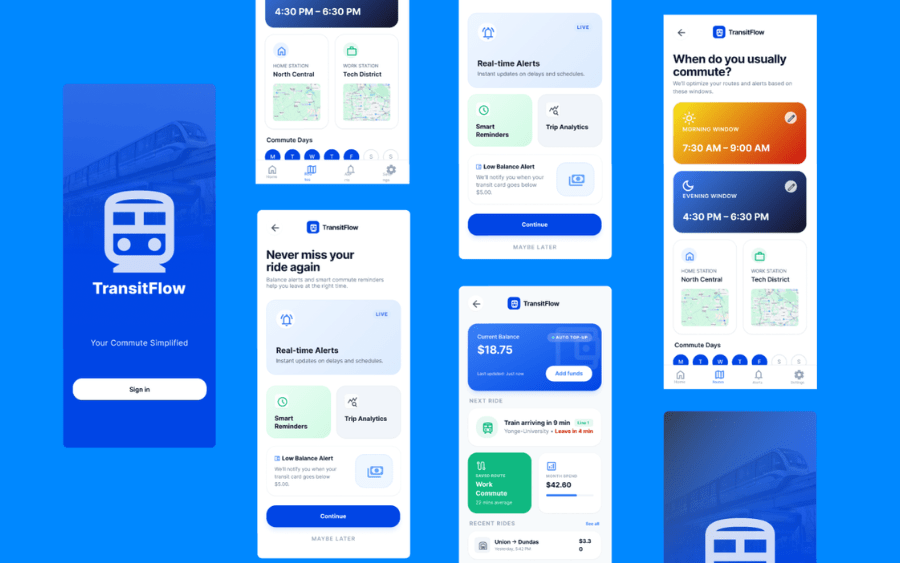
TransitFlow —
Commute
Intelligence.

Shifting a payment utility into a proactive commute assistant — by listening to what users actually needed.

View Case Study →
TransitFlow